
Being in control of your health care is important, and managing your appointments is one way to do it.
Being in control of your health care is important, and managing your appointments is one way to do it. The Department of Veterans Affairs (VA) online scheduling system offers you a way to schedule, cancel, and track your appointments for primary and specialty care that is convenient (24/7 access), efficient (no long calls or wait times), and streamlined (one place to keep your appointments).
Check out the information below to learn how to use VA’s online scheduling system for your health care needs.
How Do I Get Started?
You can manage you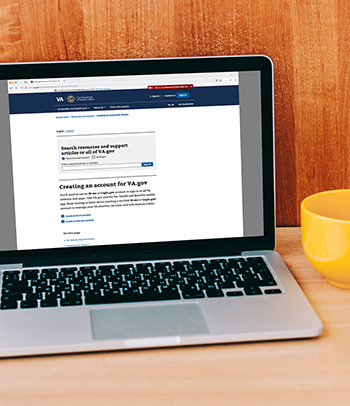 r health appointments online if you’re registered as a patient in a VA health facility. The appointments you can schedule online depend on your facility, the type of health service, and other factors. Here’s how to get started:
- Sign in with an identity-verified account. To start, sign in with an identity-verified account through one of VA’s account providers. You have two options that meet modern security standards – an ID.me or Login.gov account. You can use these accounts to sign in to all VA websites and apps to manage your VA benefits and care. Learn more about creating an account and get step-by-step directions, video help, and answers to frequently asked questions.
- Enter your health portal. At this time, VA has two health portals – My HealtheVet and My VA Health. Most VA medical centers and health facilities use My HealtheVet, and a handful of facilities use the My VA Health portal. No matter which portal your facility uses, you can sign in to manage your health care with My HealtheVet on VA.gov.
- Access online scheduling features. After signing in, you can access several features. Use the prompts and drop-down menus on the screen to:
- Schedule and request appointments at VA facilities
- Request approved community care health appointments (more on this below)
- View upcoming appointments and video visits
- Cancel appointments
- Join video visits through VA Video Connect
- Look up past appointments from the last three years
- Download appointment information to your personal calendar
- Review and print appointment details
- Find the location for your appointment
- Get the after-visit summaries from some of your appointments
Where Can I Learn More?
- VA.gov provides helpful instructions related to managing online appointments, as well as answers to frequently asked questions.
- Your health facility can answer questions about scheduling an appointment. Call your VA or community care health facility.
- My HealtheVet is available Monday through Friday to answer your questions at 877-327-0022.
Can I Schedule Community Care Appointments Too?
It depends on prior VA approval. After you sign in, you’ll find the types of appointments you can schedule online at your registered health facility. You can also check with the facility where you receive care about scheduling appointments online. If you’re eligible to receive care from a community provider outside of VA, you can use this tool to submit appointment requests, but you must receive prior approval from VA before getting care from a community provider.
To schedule VA-approved appointments in the community care network, follow these instructions:
- Ensure you have a VA-approved referral for care in the community. This is necessary to self-schedule your care. Sign in to the TriWest Veteran portal to access your VA-approved referral. If you do not already have an account, you can create one by following the instructions on the portal’s Welcome page. Your referral will include the type of doctor or facility to which you have been referred.
- Find a network provider. Select a doctor or facility from the TriWest network.
- Schedule your appointment.
 Contact the provider you selected to schedule your appointment. To simplify the process, TriWest offers “talking tips” to use when calling for your appointment.
 - Notify TriWest. Once you have scheduled your appointment, you must notify TriWest within 24 hours. Without this step, your provider will not receive important details and paperwork from TriWest for your appointment.
- Use the self-service portal to manage your care. The self-service portal for Veterans provides you secure access to view your enrollment and eligibility information. By logging into the portal, keep up to date on the status of your VA-approved referrals for health care in the community, and view medical, dental, and pharmacy claims for care in the community.
Where Can I Learn More?
- You can call VA’s Community Care Contact Center at 877-881-7618.
- TriWest’s Veteran Services page offers great resources and information for Veterans to learn more about community care and its role in ensuring Veterans can access quality and timely care in their communities.
You deserve high-quality, convenient, streamlined health care. Tap into the resources designed to give it to you!